Roblox Noob vs Pro Thumbnail Template
100% Free • No Credit Card Required • Instant Access
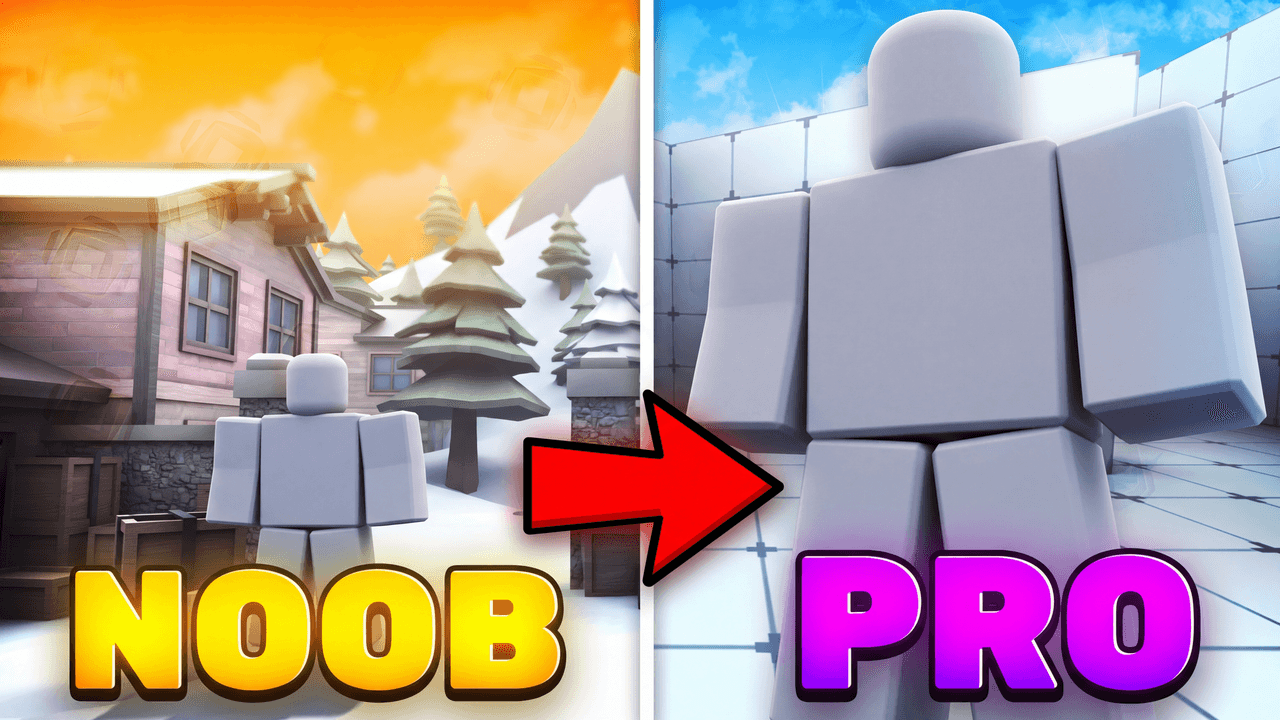
A deep-perspective Roblox progression thumbnail template contrasting a small beginner with a massive veteran.
Template Features
- Opens straight into LaunchLens
- Edit anything with plain-language AI prompts
- 1280x720 YouTube-ready export
- Free to start: 90 credits, no card
What creators search for
ROBLOX thumbnail questions
What size is this thumbnail template?
It is a standard 1280x720 pixels, maintaining a 16:9 aspect ratio optimized for YouTube.
How do I replace the mannequins with my own Roblox avatars?
Render your avatars as transparent PNGs in Roblox Studio and place them over the grey placeholder slots in your photo editor.
Does this layout work for games other than Roblox?
Yes, the strong visual hierarchy of a small beginner and large expert applies to any progression-based game like Minecraft or GTA.
Why is the Pro character much larger than the Noob?
Exaggerating the scale creates a stronger sense of achievement and makes the thumbnail far more clickable than a flat side-by-side comparison.
About This Template
If you're figuring out how to make a Roblox noob vs pro thumbnail, this layout gives your channel a solid foundation. This free Roblox YouTube thumbnail template is built around a stark foreground-background split that clearly maps out the journey from beginner to expert. You get a clean, readable design that organizes your visual hierarchy before you even begin editing.
Why the split scale works
- Immediate contrast. Setting a tiny, basic starter item against a towering endgame asset creates automatic visual tension. The viewer sees the vast gap between the two states instantly.
- Foreground grounding. Placing the smaller character right up near the lens gives the audience a clear starting point. It anchors the composition so the background element can feel massive.
- Built-in direction. The eye naturally moves from the clear foreground subject back to the imposing structure behind it. This creates a diagonal flow across the canvas.
- Textless narrative. The drastic change in scale tells the entire progression story. You don't need to clutter the frame with thick text or red arrows to explain the concept.
Videos that fit this layout
- Zero to hero simulator challenges
- Level 1 vs Level 100 boss fight comparisons
- Starter pet vs legendary pet showcases
- First hour vs 100 hours gameplay milestones
- Upgrading basic tycoons to massive empires
Building your scene in LaunchLens
- Open this Roblox progression thumbnail template inside LaunchLens.
- Select the blank grey mannequin standing in the foreground.
- Upload a screenshot of your own Roblox avatar or starter character to replace the mannequin completely.
- Select the massive structure looming in the background.
- Type a plain description of the specific endgame asset or boss you want to see instead.
Drop your avatar into the frame and map out your progression story.