The Schedule 1 thumbnail maker built for the empire run
Zero-to-millions runs, automation builds, 100% challenges, update breakdowns. Schedule 1 packaging lives on the gritty glow-up: motel-room start, mansion-money finish. Build that frame from a prompt and your own references, then push it until it earns the click.
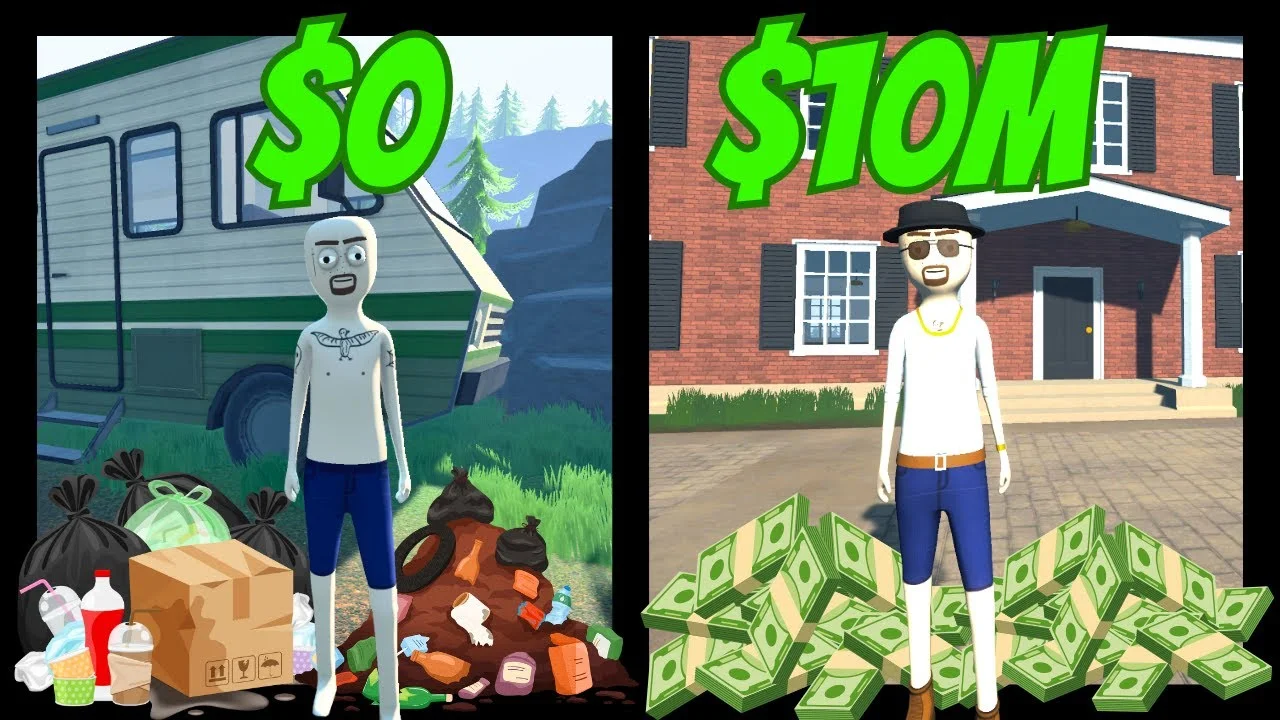 Before
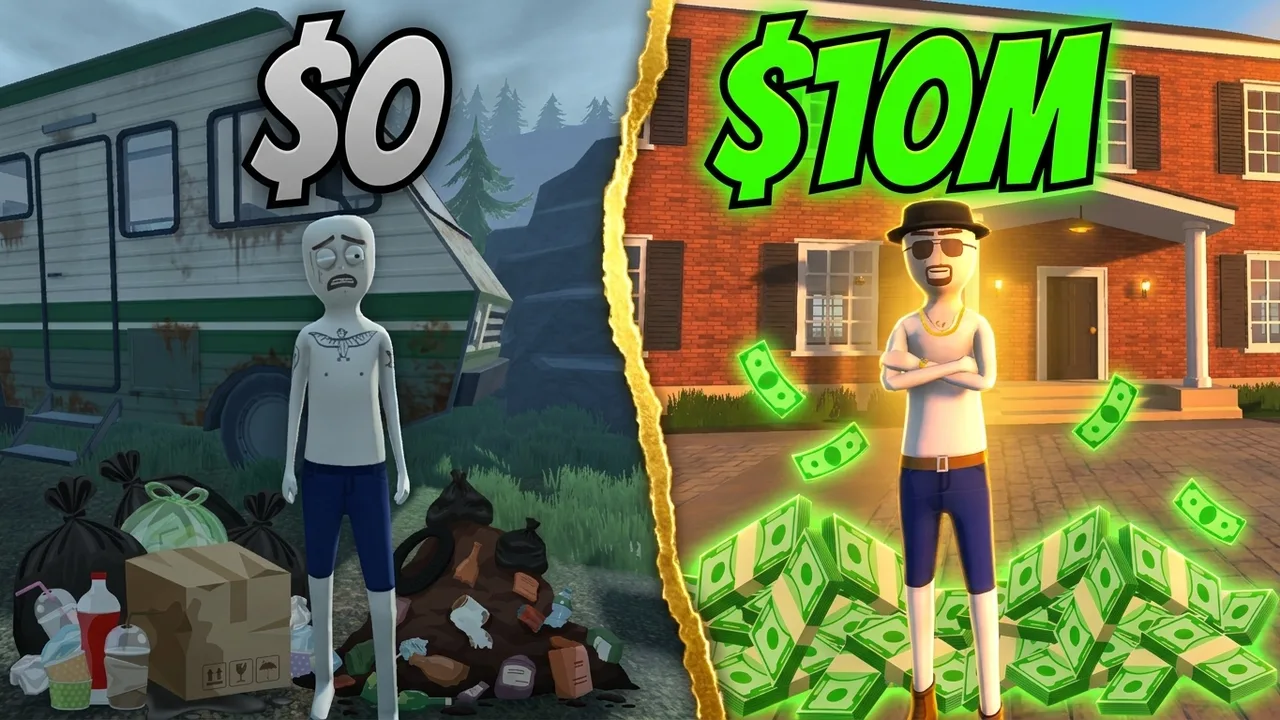 After
AfterReal Reshoot output. Schedule 1, one pass, June 2026.
Why this exists
A breakout hit with almost no packaging help.
Schedule 1 went from indie release to one of the biggest games on Steam, and the feed filled with look-alike low-poly screenshots overnight. Net worth runs, automation tutorials, challenge videos, and update coverage all fight for the same click, and the game's distinctive blocky art style breaks generic AI tools, which keep trying to render realistic humans. LaunchLens works from your prompt and your screenshots, so the output stays in the game's actual style instead of fighting it.
- +Net worth milestones framed as a before-and-after the viewer reads instantly
- +Automation and production-line builds where the setup itself is the hook
- +Challenge runs, motel-only rules, 100% completions, and speedruns
- +Update coverage that reads new at a glance instead of like a patch-note slide
How it works
Prompt, references, Reshoot. No Schedule 1 preset, on purpose.
There is no canned Schedule 1 filter here, and that is the point. You describe the thumbnail, drop in screenshots of your own save for the characters, properties, and setups you want, and the studio builds from that. The strongest Schedule 1 thumbnails sell the business arc, the empire, the payday, and the glow-up, not the product, which is also the framing that ages best with YouTube and advertisers. Already have a thumbnail that is close but flat? Reshoot upgrades the one you have instead of starting over.
- +Generate from a prompt plus your own screenshots, so the low-poly style stays game-accurate
- +Insert Me places your real reaction face into the frame, matched to the lighting
- +Reshoot sharpens an existing thumbnail without restarting the art
- +Live YouTube inspiration search to see what is landing in Schedule 1 right now
Creator reviews
Real reviews from real creators, collected through Senja.
"I used to spend 1 hour on thumbnails. Now with LaunchLens it takes 10 minutes. I love it. I recommend it for small creators just starting out."
"I used to spend 2-3 hours building 3D models of my Minecraft skin. Now it's fast and easy."
"I love how you can take a thumbnail and just replace anything in it. Love it."
Questions, answered straight.
Is there a free Schedule 1 thumbnail maker?+
Yes. LaunchLens gives you 90 credits on signup with no card required, and a generation runs 30 credits, so your first thumbnail is covered. There is no watermark and no blurred result you have to pay to reveal, which is how many rival tools run their free tier.
Will the AI keep Schedule 1's low-poly art style?+
Yes, if you anchor it. There is no in-product game asset library, so you drop in screenshots from your own save as references, and the generation matches that blocky, stylized look instead of drifting toward realistic humans. That reference-first workflow is exactly what generic AI tools get wrong about this game.
How do I keep Schedule 1 thumbnails advertiser-friendly?+
Lead with the tycoon story. The thumbnails that hold up lead with money, milestones, characters, and the rags-to-riches arc, not the product the game satirizes. Because LaunchLens builds from your prompt, you control that framing on every generation, the same way you would brief a human designer.
Can I put my own face on a Schedule 1 thumbnail?+
Yes, with the Insert Me tool, which places your face into the scene and matches the lighting so it does not look pasted on. Face tools are optional, so faceless Schedule 1 channels are fully supported with prompt and reference based generation.
Make your next Schedule 1 thumbnail free
90 credits on signup, no card, no blurred result. Generate one, drop your face in, or Reshoot an old upload, then package the whole video in one place.
LaunchLens is an independent tool and is not affiliated, associated, authorized, endorsed by, or in any way officially connected with Mojang, Microsoft, Roblox Corporation, Epic Games, Take-Two Interactive, Rockstar Games, 2K, Riot Games, Activision Blizzard, Valve Corporation, Supercell, Electronic Arts, EA Sports, the Collegiate Licensing Company, TVGS, Arrowhead Game Studios, Sony Interactive Entertainment, or any of their subsidiaries. All game titles, logos, and characters are trademarks of their respective owners. College team names, marks, and college athlete names and likenesses are the property of their respective rights holders; build thumbnails from your own references and keep athlete and team art generic.