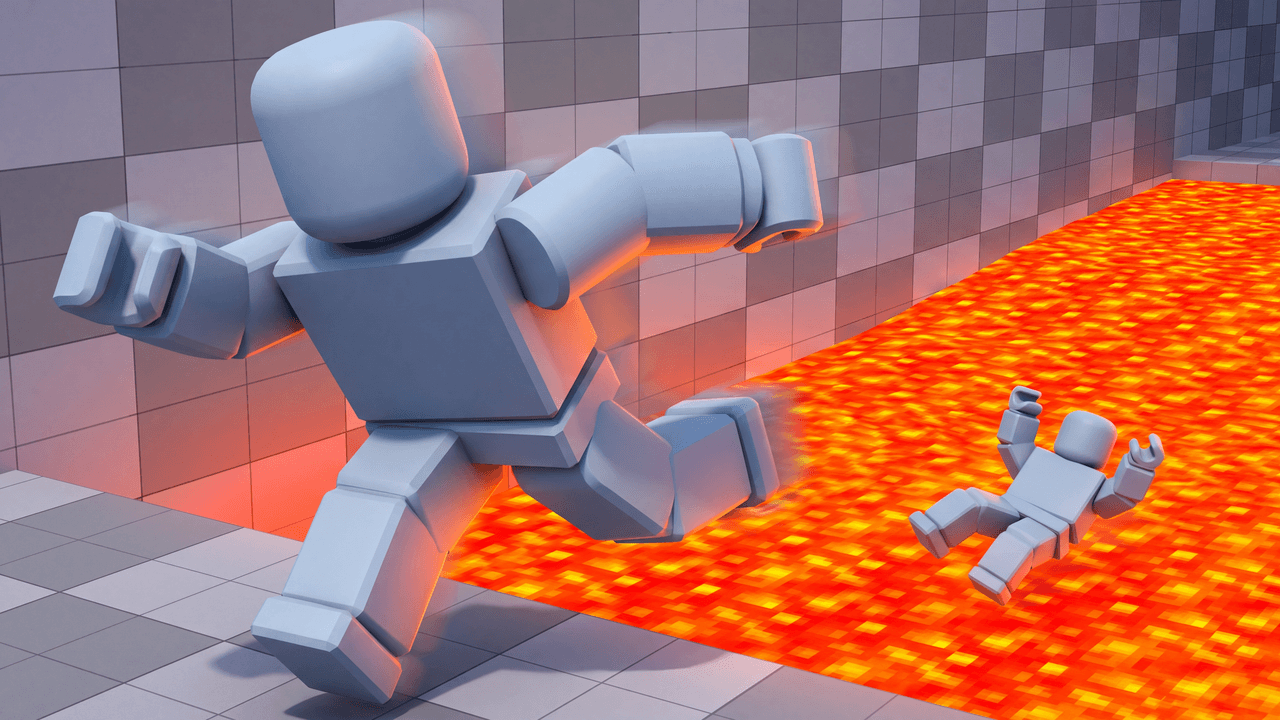
Second look, same template
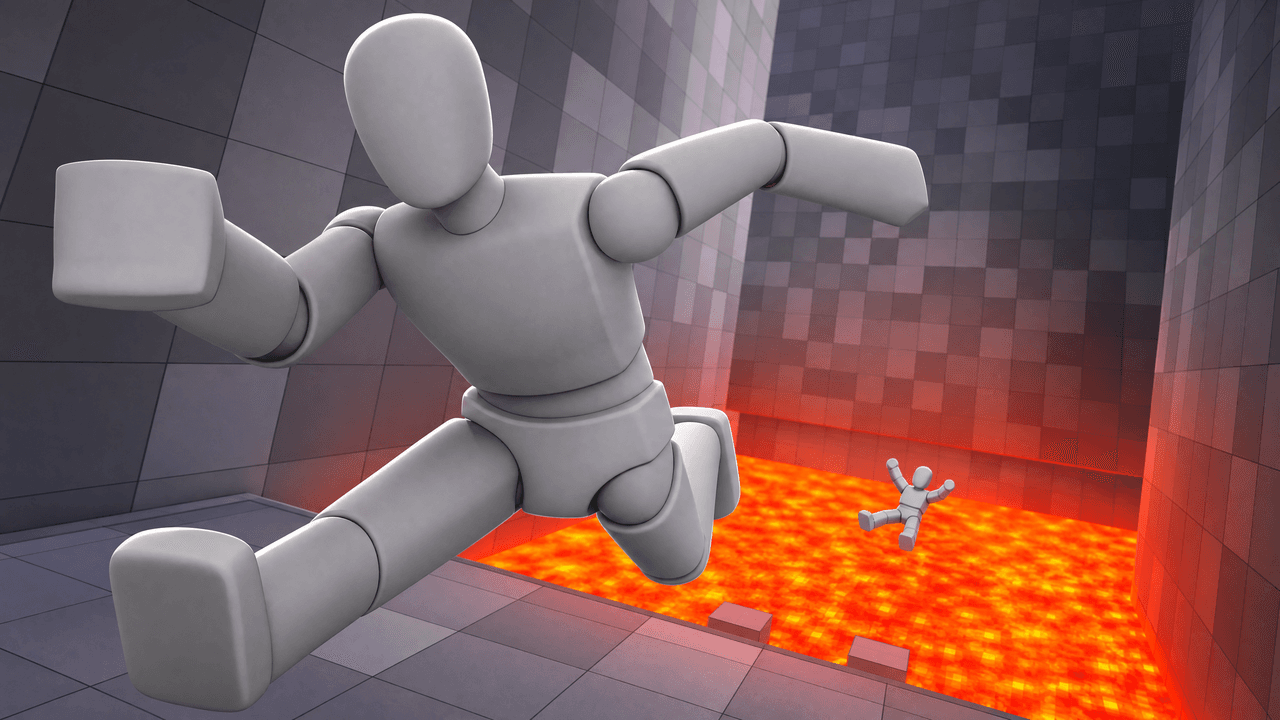
Alternate between the two across a series so your channel page does not look repetitive.
Roblox Obby Thumbnail Template
100% Free • No Credit Card Required • Instant Access
A dynamic, high-stakes Roblox thumbnail template featuring an extreme close-up escape while another player falls into lava.
Template Features
- Opens straight into LaunchLens
- Edit anything with plain-language AI prompts
- 1280x720 YouTube-ready export
- Free to start: 90 credits, no card
What creators search for
ROBLOX thumbnail questions
What is the correct resolution for this Roblox thumbnail?
This template is built at 1280x720 pixels. This is the standard 16:9 aspect ratio optimized for YouTube.
Why is the camera pushed in so close on the primary character?
The extreme close-up creates an immediate sense of urgency and panic. It makes the escape feel faster and the viewer feel closer to the danger.
Can I use my own Roblox avatar in this template?
Yes. The grey mannequins act as direct placeholders for your specific 3D Roblox avatar renders.
Will this work for any Roblox obby game?
Yes. The lava and grid texture are universal visual shorthand for Roblox obstacle courses, making it applicable to almost any obby video.
About This Template
This roblox obby thumbnail template places you right at the edge of a failed jump. We've built it with an extreme close-up and heavy motion blur to communicate a clear cause-and-effect narrative. Whether you're learning how to make roblox obby thumbnails or just need a reliable roblox funny moments thumbnail template, this layout gives you a solid foundation.
Why the tight crop works
- The extreme close-up: Bringing the camera right up to the player limits distractions and emphasizes the immediate danger of the hazard.
- Directional blur: A heavy motion blur creates an active state of falling. It visually explains the action taking place.
- Color contrast: The bright orange lava floor creates a natural separation from the darker background pillars.
- Visual flow: The layout links the hazard at the bottom of the frame directly to the subject's reaction above it.
Matches for this setup
- Hardcore obby speedruns that end in disaster.
- Blind playthroughs of a new obstacle course.
- Roblox funny moments where you miss the same jump.
- Parkour challenges restricted to a single life.
- Compilations of your worst platforming mistakes.
Adapting the scene
- Open the design in LaunchLens and type to describe the exact color and texture of the lava you want below you.
- Upload a screenshot of your Roblox avatar or facecam to replace the blank grey mannequin.
- Tell the tool to adjust the background pillars by typing out what the obstacles look like in your specific level.
- Fine-tune the lighting and speed by describing exactly how bright or blurred the scene needs to be.
Shape a clear visual narrative for your next parkour run.