Roblox Comeback Thumbnail Template
100% Free • No Credit Card Required • Instant Access
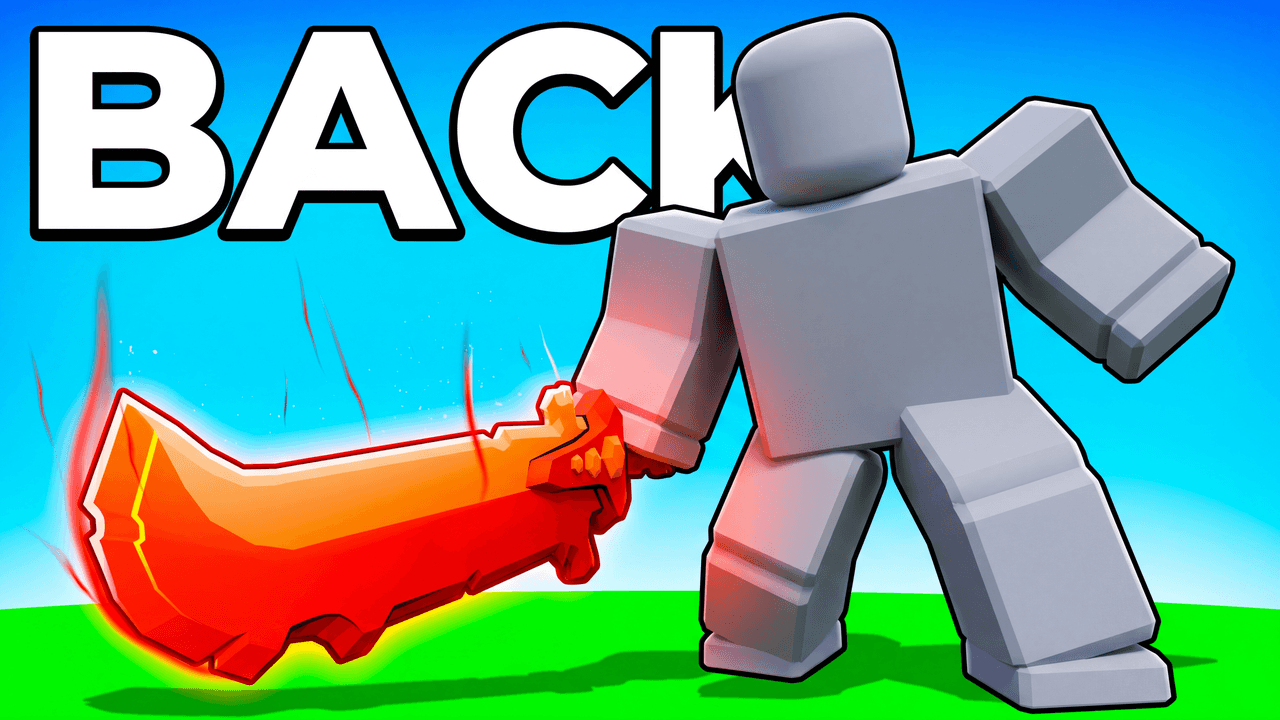
A dramatic, low-angle Roblox thumbnail template for creators announcing their return, featuring a glowing sword and bold text.
Template Features
- Opens straight into LaunchLens
- Edit anything with plain-language AI prompts
- 1280x720 YouTube-ready export
- Free to start: 90 credits, no card
What creators search for
ROBLOX thumbnail questions
What size is this Roblox thumbnail template?
The template is built at 1280x720 pixels. This is the standard 16:9 resolution required by YouTube.
How do I add my own Roblox avatar?
Simply render your Roblox avatar as a transparent PNG and place it over the grey mannequin slot.
Can I change the text to something other than BACK?
Yes. The layout supports any short, bold 4-to-6 letter word in the background.
Does this work for specific games like Bedwars or Blox Fruits?
Yes. The simple grass and sky background is versatile enough to represent almost any outdoor Roblox game.
About This Template
This roblox thumbnail template is built for comeback videos. It uses a low-hero-angle and massive typography to frame your return to the server. If you are figuring out how to make a roblox thumbnail that communicates scale, this layout puts the visual weight directly on your player.
The mechanics of the low-angle layout
- Heavy typography. The roblox comeback thumbnail text takes up a massive portion of the frame to establish immediate visual hierarchy.
- Forced perspective. The camera angle pushes the character toward the top edge. It makes the figure look imposing against the sky.
- High contrast. A brightly glowing weapon cuts through the darker background tones. It gives the viewer's eye a bright, saturated focal point.
- Clear silhouettes. A sharp rim light completely separates the main subject from the environment behind them.
Swapping the mannequin for your avatar
- Select the blank grey mannequin in the center of the layout.
- Add a picture of your own character to replace it.
- Type what kind of glowing weapon your player is holding.
- Select the massive text and type your own words.
- Type a description of the background to match the exact map you are playing on.
Matches for this composition
- Returning to a server after a long break.
- Taking over a lobby as a max-level player.
- Seeking revenge on a specific faction.
- Using a roblox bedwars thumbnail template to frame a final showdown.
- Wielding an overpowered item you spent weeks grinding for.
Your return deserves a layout that reflects the scale of the moment.