
Second look, same template
Alternate between the two across a series so your channel page does not look repetitive.
NBA 2K MyCareer Thumbnail Template
100% Free • No Credit Card Required • Instant Access
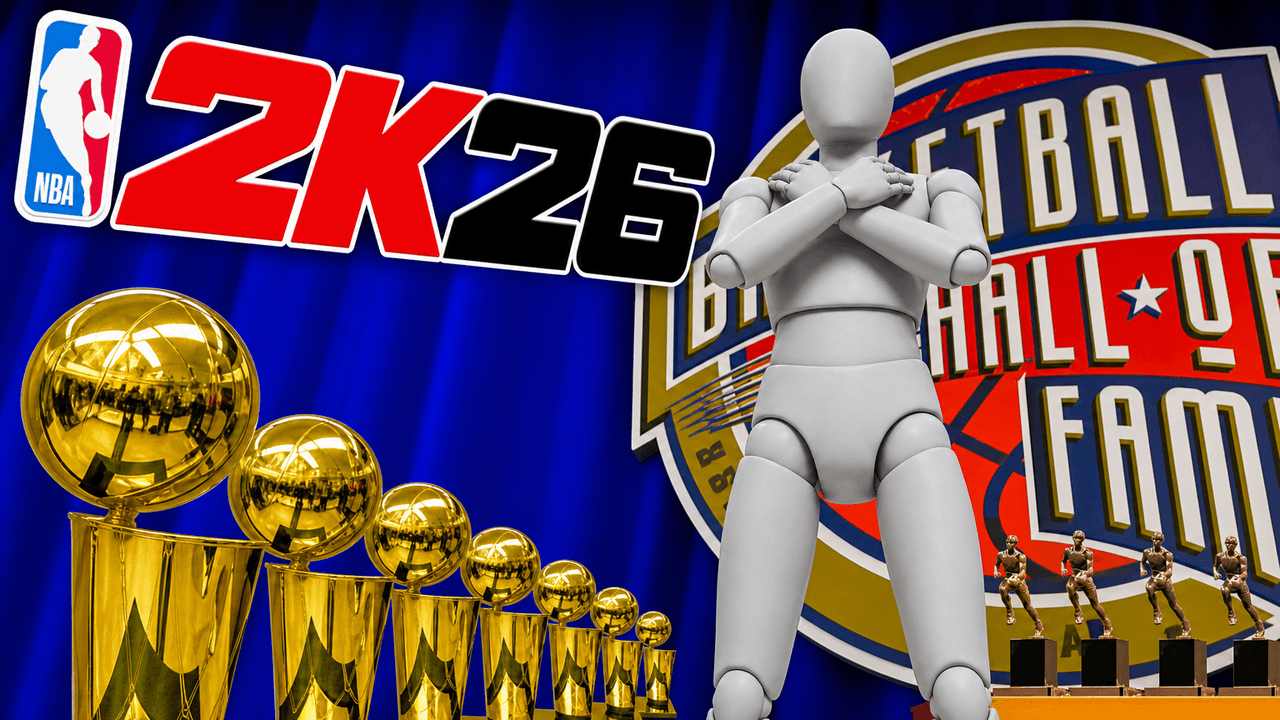
A dominant low-angle template for NBA 2K creators to show off their MyCareer trophies and Hall of Fame induction.
Template Features
- Opens straight into LaunchLens
- Edit anything with plain-language AI prompts
- 1280x720 YouTube-ready export
- Free to start: 90 credits, no card
What creators search for
NBA 2K thumbnail questions
What is the correct size for an NBA 2K YouTube thumbnail?
The recommended size is 1280x720 pixels with a 16:9 aspect ratio and a file size under 2MB. This template exports exactly to these dimensions so your final image is perfectly formatted for YouTube.
Why does a low-hero-angle layout work for this Hall of Fame concept?
The low camera angle makes the central character look larger than life and authoritative. By placing a symmetrical row of trophies in the foreground, the design naturally frames the subject and creates a clear sense of achievement.
Does this template work for NBA 2K27 videos?
Yes, though you should note the base art carries large 2K26 branding in the background. You can simply prompt the LaunchLens studio to swap out the background logo for a 2K27 version.
Can I put my own MyPlayer character into this design?
Absolutely, you can easily replace the stand-in figure by adding a picture of yourself or your player directly in LaunchLens. The studio handles the placement and blending automatically, so you never need to manually mask or cut out your image.
What is the best way to handle text on a busy NBA 2K thumbnail background?
Use thick, bold fonts combined with heavy drop shadows or thick contrasting strokes to ensure readability. This creates visual separation between your words and complex background elements like shiny trophies or colorful jerseys.
About This Template
This nba 2k26 thumbnail template is built for creators reaching the peak of their MyCareer journey. The layout leans heavily into visual excess to show off a massive collection of hardware. It relies on a low hero angle that makes your player look imposing against a crowded wall of trophies.
Why this visual layout works
- The low camera angle. Framing from below the subject creates an immediate sense of scale. Your player simply looks larger than life.
- Volume over detail. The background design prioritizes sheer quantity. A packed shelf of metallic awards builds a texture of success: you do not need every plaque to be readable.
- Central contrast. The subject sits squarely in the middle foreground. Bright rim lighting cleanly separates the character model from the dense background clutter.
- Color density. Gold and silver tones dominate the upper half of the image. Putting your player in a dark or solid jersey provides a heavy visual anchor in the center of the frame.
When to use this composition
- End-of-season MyCareer documentary videos.
- Showcasing a finalized 99 overall build.
- Reviewing your maxed-out badges and attributes.
- Franchise mode dynasty recaps.
- Rec or Park milestone celebrations.
Editing this layout in LaunchLens
As a custom nba 2k thumbnail generator, LaunchLens lets you shape this design entirely by typing.
- Open the template and type in the exact style of jersey you want the subject to wear.
- Select the blank grey mannequin in the center of the composition.
- Upload a screenshot of your MyPlayer or a photo of yourself to replace that mannequin.
- Type in your team colors to change the ambient lighting in the room.
- Update the background elements to match your specific 2k26 mycareer hall of fame thumbnail concept.
This template gives you a massive head start on your next upload, working exactly the way a solid nba 2k youtube thumbnail maker should.