Second look, same template

Alternate between the two across a series so your channel page does not look repetitive.
GTA Progression Thumbnail Template
100% Free • No Credit Card Required • Instant Access
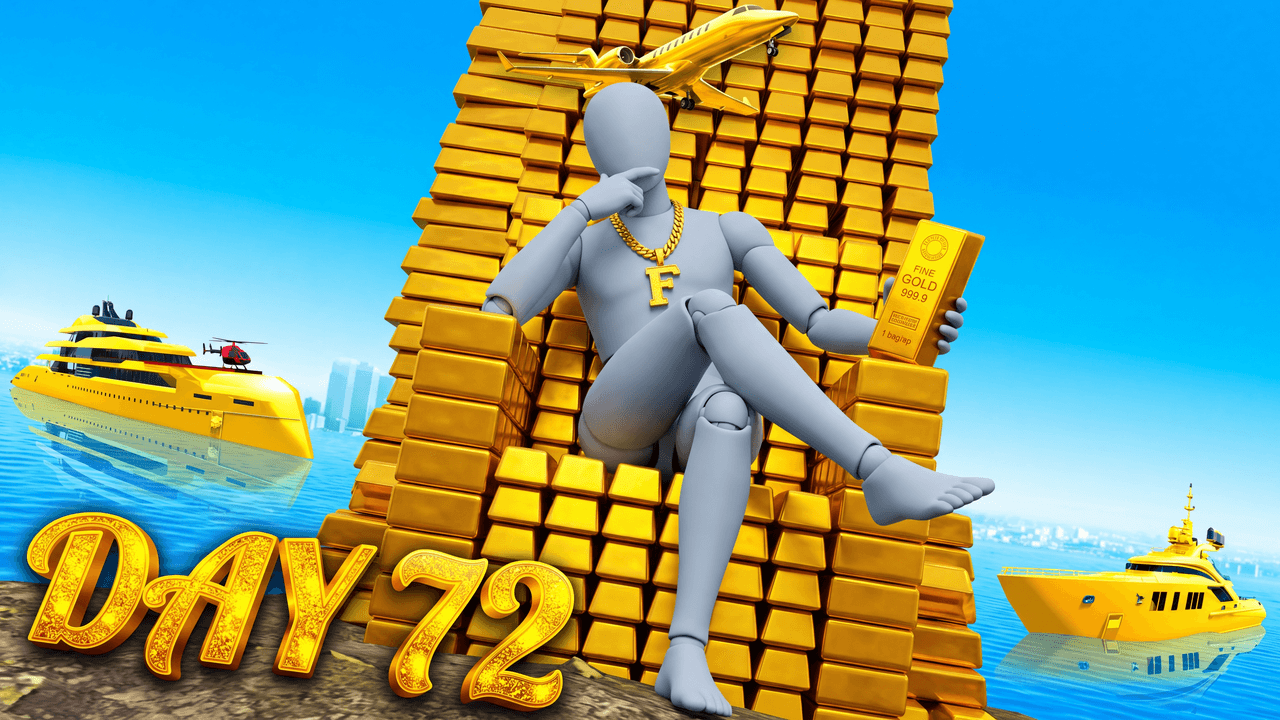
A GTA thumbnail template featuring a massive gold bar throne, yachts, and a private jet to showcase extreme in-game wealth or progression.
Template Features
- Opens straight into LaunchLens
- Edit anything with plain-language AI prompts
- 1280x720 YouTube-ready export
- Free to start: 90 credits, no card
What creators search for
GTA thumbnail questions
What is the correct size for a GTA YouTube thumbnail?
The ideal size is exactly 1280x720 pixels, which provides the correct 16:9 aspect ratio and keeps the final image under YouTube's 2MB file limit. This template automatically exports your design to those exact dimensions.
Why does this billionaire throne layout work visually as a design?
The low-hero-angle forces perspective to make the central character appear dominant, while the monochromatic gold background creates intense contrast against the red suit. This deliberate color separation guarantees the viewer's eye goes straight to the main subject.
Can I use this template for a GTA 6 video?
Yes, although the default art carries the current GTA 5 aesthetic, you can easily adapt it in the studio. You simply use text prompts to swap out the background elements, logos, and colors to match the upcoming game's style.
How should I format the text for a GTA progression video?
Keep the text massive, bold, and extremely brief using phrases like "DAY 72" so it remains readable on small mobile screens. Adding a metallic texture or a thick, dark outline helps the letters stand out clearly against bright, busy backgrounds.
About This Template
This grand theft auto throne thumbnail builds a scene of absolute excess. It uses an overwhelming density of gold and custom vehicles to communicate top-tier wealth, giving you a solid foundation for a gta online money guide youtube thumbnail.
Why this layout reads as wealth
- The low-hero angle: The camera sits low and tilts up, making the central figure look massive and authoritative.
- Color flooding: The frame is heavily saturated in gold and yellow tones to build an immediate visual link to high-end assets.
- Intentional clutter: Stacking custom cars right behind the throne creates a dense wall of expensive items.
- Dead-center placement: The layout forces the eye straight to the middle of the frame where your character sits.
Where this setup fits your channel
- Guides on moving from zero dollars to millions.
- Showcasing the most expensive penthouses and garages.
- A gta 5 billionaire thumbnail template for endgame heist breakdowns.
- The final wrap-up episode of a long playthrough.
- A gta rp rich character thumbnail maker for roleplay highlights.
Taking the throne in LaunchLens
- Open the layout right in LaunchLens to start your edits.
- Replace the blank grey mannequin with a screenshot of your own player model or a photo of yourself.
- Type out a description of the specific vehicles you want parked in the background.
- If you aren't into gold, just type out a new color scheme to shift the whole palette.
- Add your own text or branding into the open space at the top of the frame.
Putting your character at the center of the empire is just a matter of typing what you want to see.