College Football Commitment Thumbnail Template
100% Free • No Credit Card Required • Instant Access
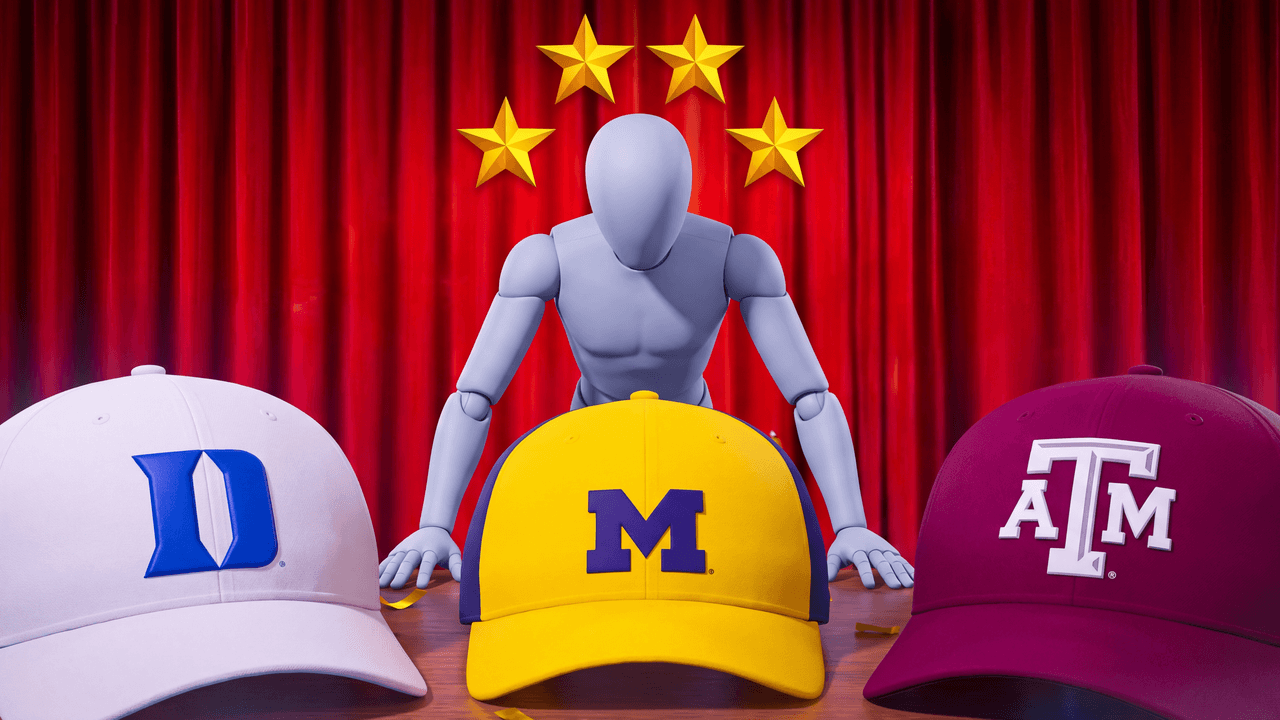
A dramatic scale-inversion thumbnail template for College Football commitment videos, featuring three massive hats and a player slot.
Template Features
- Opens straight into LaunchLens
- Edit anything with plain-language AI prompts
- 1280x720 YouTube-ready export
- Free to start: 90 credits, no card
What creators search for
COLLEGE FOOTBALL thumbnail questions
What size is this thumbnail template?
It is exactly 1280x720 pixels, which is the standard 16:9 ratio required by YouTube.
Why does the scale inversion layout work better?
Scaling up the hats pushes the viewer's focus immediately onto the decision itself, creating a more dramatic hierarchy than a flat desk shot.
Can I use this for my Road to Glory series?
Yes. The mannequin slot is designed for you to drop in your own custom player model from your RTG save.
Will this work for future College Football games?
Yes, the commitment ceremony is a staple of the series, making this layout evergreen for future releases.
About This Template
If you're figuring out how to make cfb 25 thumbnails that feel authentic, this layout taps straight into the pressure of a high school recruit's signing day. We built this ncaa football commitment thumbnail template around scale-inversion to emphasize the weight of your player's choice against the heavy backdrop of their top schools. It gives you a clean, grounded starting point for your next college football 25 road to glory thumbnail.
The mechanics of the commitment layout
- Scale-inversion. Massive college logos dominate the background while the smaller recruit sits in the foreground. This visual hierarchy physically illustrates the weight of the decision.
- Implied balance. Placing two rival hats equidistant from the center creates symmetry that naturally shifts the eye between the two options.
- Clear focal points. Stark studio lighting on the center subject creates sharp contrast against the darker, blurred background elements.
- Familiar framing. The setup relies on traditional sports broadcasting angles. Viewers recognize the press conference aesthetic the moment they look at the composition.
When to pull this template
- A high school prospect's final signing day decision.
- Transfer portal announcements for an established player.
- Coaching carousel episodes where you pick a new program.
- Choosing between a coordinator job and a head coaching offer.
- Offseason updates focused on recruiting battles.
Shaping the frame in LaunchLens
- Open the template in LaunchLens.
- Upload a screenshot of your player or a photo of yourself to replace the blank grey mannequin sitting at the mic.
- Type the names of the two universities you are deciding between to update the caps resting on the table.
- Adjust the background stadium banners by typing the primary colors of the schools involved.
- Tweak the overhead lights by typing a new direction to match the shadows on your uploaded character.
Lock in a composition that communicates the reality of signing day before you even start the first quarter.