YouTube Thumbnail Ideas: 15 Styles That Actually Work in 2025
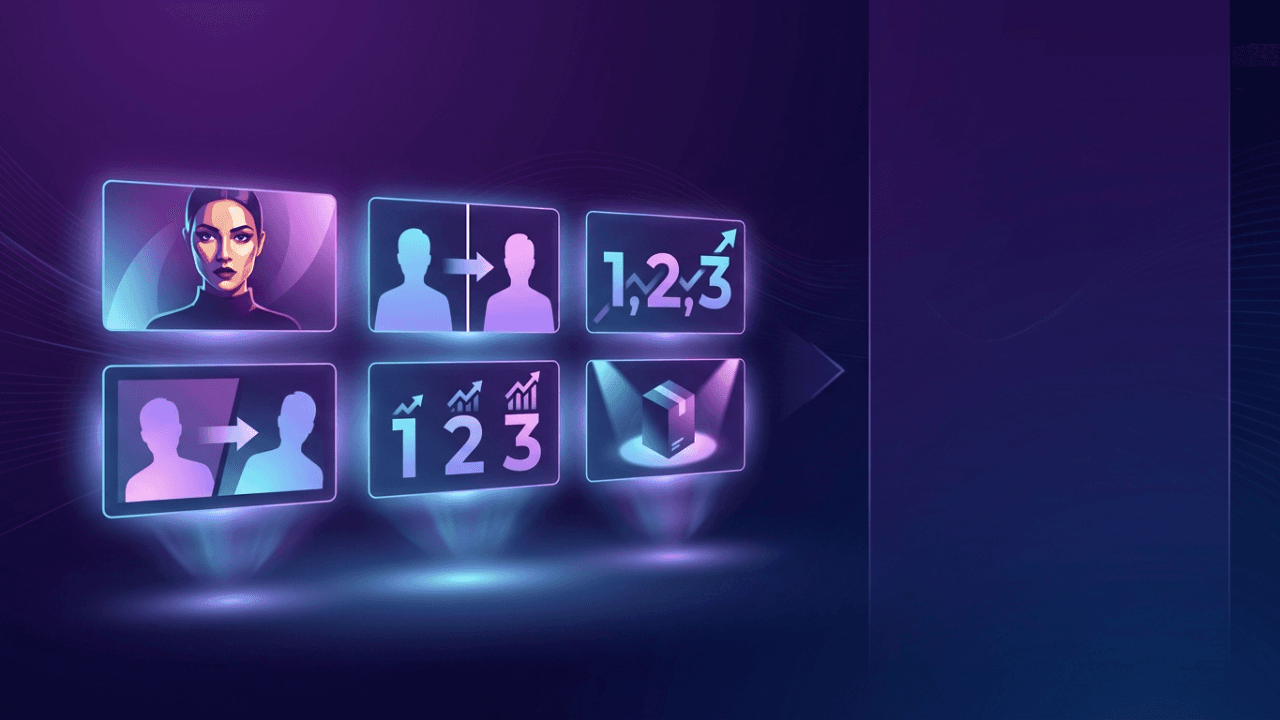
Your thumbnail is the billboard for your video.
It's the first thing viewers see. Before your title. Before your content. YouTube's algorithm uses click-through rate as a primary signal, and your thumbnail drives most of those clicks.
Here are 15 thumbnail styles that consistently perform, with examples and psychology breakdowns.
Why Thumbnails Matter More Than Ever
In 2025, YouTube shows your thumbnail in more places than ever:
- Home feed (where most views come from)
- Search results
- Suggested videos sidebar
- Shorts shelf
- YouTube TV apps
- External embeds
A weak thumbnail means invisible content. A strong one stops the scroll.
The 15 Thumbnail Styles
1. The Before/After Split
Format: Two images side by side showing transformation
Works for: Tutorials, fitness, makeovers, gaming builds, tech setups
Why it works: Creates instant curiosity. Viewers want to know how you got from A to B.
Design tips:
- Use a clear dividing line (arrow, lightning bolt, or color split)
- Make the "after" dramatically different
- Keep both sides equally visible
Example use: "My Room Setup: Before vs After" with messy desk on left, clean setup on right.
2. The Reaction Face
Format: Close-up of expressive face showing strong emotion
Works for: Reactions, commentary, gaming, vlogs, news coverage
Why it works: Humans are hardwired to notice faces. Emotion creates empathy and curiosity.
Design tips:
- Fill 40-60% of frame with face
- Exaggerate the expression (YouTube thumbnails are small)
- Eyes should be visible and looking at camera or subject
- Avoid fake expressions that feel inauthentic
Key emotions that work: Shock, excitement, confusion, anger, joy
3. The Curiosity Gap
Format: Partial reveal of something interesting, with key detail hidden or blurred
Works for: Reveals, unboxings, discoveries, investigations, storytelling
Why it works: Creates an open loop the brain wants to close. You have to click to see the full picture.
Design tips:
- Show just enough to intrigue
- Use blur, question marks, or strategic cropping
- The hidden element should be clearly important
Example: "What's Inside This $10,000 Mystery Box?" with box partially open, contents blurred.
4. The Versus Layout
Format: Two subjects on opposite sides, clearly in competition
Works for: Comparisons, reviews, debates, gaming matchups, product showdowns
Why it works: Positions the video as answering a question viewers already have.
Design tips:
- Use "VS" text in center
- Both subjects should be equally prominent
- Add visual tension (lightning, flames, or contrasting colors)
- Works best when both options are recognizable
Example: "iPhone vs Android in 2025" with both phones facing off.
5. The Number Stack
Format: Large number as primary visual element
Works for: Lists, rankings, collections, challenges, statistics
Why it works: Numbers set clear expectations and create scannable content promise.
Design tips:
- Make the number BIG (at least 30% of thumbnail)
- Use bold, easy-to-read fonts
- Pair with relevant imagery
- Odd numbers often outperform even (7, 9, 11)
Example: "99 Things You Didn't Know About Minecraft" with giant "99" and game imagery.
6. The Tutorial Arrow
Format: Arrow pointing from problem to solution
Works for: How-to content, fixes, tutorials, tips, educational videos
Why it works: Shows a clear journey from current state to desired outcome.
Design tips:
- Arrow should be prominent and directional
- "Before" state on left, "After" on right (reading direction)
- Use contrasting colors for arrow
- Keep it simple, two elements maximum
Example: "Fix Blurry Photos in Photoshop" with blurry image → arrow → sharp image.
7. The Screenshot Proof
Format: Screenshot of results, stats, or achievement
Works for: Money/business content, gaming achievements, social proof, case studies
Why it works: Shows tangible proof that creates trust and aspiration.
Design tips:
- Make key numbers readable at thumbnail size
- Add context (your face, pointing gesture)
- Highlight the impressive metric
- Don't fake it (viewers can tell)
Example: "$47,000 in 30 Days" with actual analytics screenshot and creator pointing.
8. The Dramatic Contrast
Format: High contrast between light/dark, color opposites, or visual extremes
Works for: Storytelling, documentaries, dramatic reveals, emotional content
Why it works: Contrast creates visual tension that stops the scroll.
Design tips:
- Use complementary colors (orange/blue, red/green)
- Play with light and shadow
- Make one element clearly dominant
- Works especially well for cinematic content
Example: Silhouette figure against bright background for mystery video.
9. The Product Showcase
Format: Clean product shot with minimal distraction
Works for: Reviews, unboxings, tech content, gear recommendations
Why it works: Viewers searching for product info want to see the product clearly.
Design tips:
- Use plain or gradient backgrounds
- Product should fill most of frame
- Add subtle shadows for depth
- Include your reaction/rating if relevant
Example: New camera on clean background with "Worth It?" text.
10. The Text-Heavy Bold
Format: Large, bold text as the primary element
Works for: News, hot takes, announcements, educational content
Why it works: Delivers the hook instantly. No interpretation needed.
Design tips:
- Maximum 3-4 words
- High contrast text colors
- Sans-serif fonts for readability
- Text should be readable at any size
Warning: This style is overused. Only works if your text is genuinely compelling.
11. The Pattern Interrupt
Format: Something visually unexpected or "wrong"
Works for: Creative content, comedy, experimental videos, unique formats
Why it works: Breaks the pattern of what viewers expect to see, forcing attention.
Design tips:
- Subvert expectations deliberately
- Make it obviously intentional, not accidental
- Use unique angles, colors, or compositions
- Don't sacrifice clarity for creativity
Example: Upside-down thumbnail, unexpected object placement, broken grid.
12. The Collage Grid
Format: Multiple images arranged in grid showing variety
Works for: Compilations, roundups, collection videos, "best of" content
Why it works: Shows volume and variety at a glance. Viewers know they're getting multiple things.
Design tips:
- 3-6 images maximum (more gets cluttered)
- Consistent sizing and spacing
- Add unifying element (border, overlay, number)
- Each image should be distinguishable at small size
Example: "10 Phone Cases Tested" with grid of different cases.
13. The Lifestyle Aspiration
Format: Showcasing desirable lifestyle, location, or situation
Works for: Travel, luxury, day-in-life, career content, motivation
Why it works: Triggers aspiration. Viewers click to learn how to achieve similar results.
Design tips:
- Show the result, not the process
- Make it feel achievable, not unrealistic
- Include human element (you in the scene)
- Lighting and color grade matter enormously
Example: Creator working from beach location with laptop.
14. The Meme Reference
Format: Using recognizable meme format or cultural reference
Works for: Commentary, gaming, pop culture, entertainment, younger audiences
Why it works: Instant recognition creates connection with viewers who "get it."
Design tips:
- Reference must be current and recognizable
- Add your unique twist (don't just copy)
- Know your audience's meme literacy
- Memes age fast; timeless references work best
Warning: Meme thumbnails can feel dated quickly. Use strategically.
15. The Minimalist Mystery
Format: Single object or element on plain background
Works for: Storytelling, documentaries, premium content, tech reveals
Why it works: Creates intrigue through what's NOT shown. Stands out in busy feeds.
Design tips:
- One focal point only
- Lots of negative space
- High production quality required
- Works best with strong titles
Example: Single key on black background for "The Secret That Changed Everything."
Thumbnail Design Principles (All Styles)
Readability at Any Size
Your thumbnail appears at different sizes:
- 480px wide (desktop)
- 320px (tablet)
- 168px (mobile suggested)
- 120px (end screens)
If text or key elements aren't visible at the smallest size, simplify.
The 3-Second Test
Viewers decide in under 3 seconds. Your thumbnail needs to communicate:
- What the video is about
- Why they should care
- That it's worth their time
If all three aren't immediately clear, iterate.
Consistency vs. Variety
For channels: Develop a recognizable style (colors, fonts, composition) while keeping individual thumbnails fresh.
For individual videos: Match thumbnail style to content type. A meme thumbnail on a serious video creates disconnect.
Color Psychology
- Red: Urgency, excitement, importance
- Blue: Trust, calm, professional
- Yellow: Attention, optimism, energy
- Green: Growth, money, success
- Orange: Friendly, confident, creative
- Purple: Premium, creative, mysterious
Face Placement
When using faces:
- Rule of thirds for eye placement
- Face should "look into" the thumbnail (toward center)
- Avoid cutting off foreheads or chins
- Multiple faces create social proof
Common Thumbnail Mistakes
1. Too Much Text
More than 4-5 words becomes unreadable. Your title handles the text; thumbnails are visual.
2. Cluttered Composition
Too many elements competing for attention. Pick one focal point.
3. Low Contrast
Dark text on dark background, or washed-out colors. Thumbnails need to pop.
4. Clickbait Mismatch
Thumbnail promises something the video doesn't deliver. Hurts retention and channel trust.
5. Inconsistent Branding
Viewers should recognize your content in their feed. Some consistency helps.
6. Ignoring Mobile
Designing on large monitors, forgetting most views come from phones.
How to Test Thumbnails
A/B Testing
YouTube now offers thumbnail testing for some creators. Use it if available.
The Blur Test
Apply heavy blur to your thumbnail. Can you still understand what the video is about? If not, simplify.
The Feed Test
Place your thumbnail next to competitors in your niche. Does it stand out or blend in?
Analytics Review
Check CTR by thumbnail. Notice which styles perform best for YOUR audience.
Tools for Thumbnail Creation
Professional:
- Photoshop (industry standard)
- Canva Pro (templates and ease of use)
- Figma (collaborative design)
AI-Assisted:
- Tools like LaunchLens can analyze your video content and suggest thumbnail concepts that match your actual content, helping bridge the gap between what you filmed and what will click.
Quick Reference: Match Style to Content
| Content Type | Best Thumbnail Styles | |--------------|----------------------| | Tutorial | Before/After, Tutorial Arrow | | Review | Product Showcase, Versus | | Vlog | Reaction Face, Lifestyle | | Gaming | Reaction Face, Screenshot Proof | | Commentary | Reaction Face, Text-Heavy | | List Video | Number Stack, Collage Grid | | Story/Documentary | Dramatic Contrast, Minimalist Mystery |
Your Next Steps
- Audit your last 10 thumbnails: which styles did you use?
- Identify gaps: what styles haven't you tried?
- Pick one new style for your next video
- Test and iterate: check CTR after 48 hours
The best thumbnail is the one that accurately represents compelling content. Style matters, but substance wins.
Need help creating thumbnails that match your video content? Try LaunchLens. Our AI analyzes your transcript to suggest thumbnail concepts that actually reflect what you said.
Share this article:
Ready to Optimize Your YouTube Channel?
Try LaunchLens today and see how AI can transform your YouTube optimization strategy with data-driven insights.
Get Started Free